
How to order online from Country Malt Group
This guide shows how to order online from Country Malt Group, with a screenshot at every step: logging in, finding products by category, search and brand, adding milling, completing your pallet with the Pallet Maximizer, setting up each delivery and checking out.
What you'll need
- Your webstore email address and password
- A delivery address on your account, or pickup from your primary warehouse
- A payment method allowed by your account's payment terms
Step 1Log in to your account
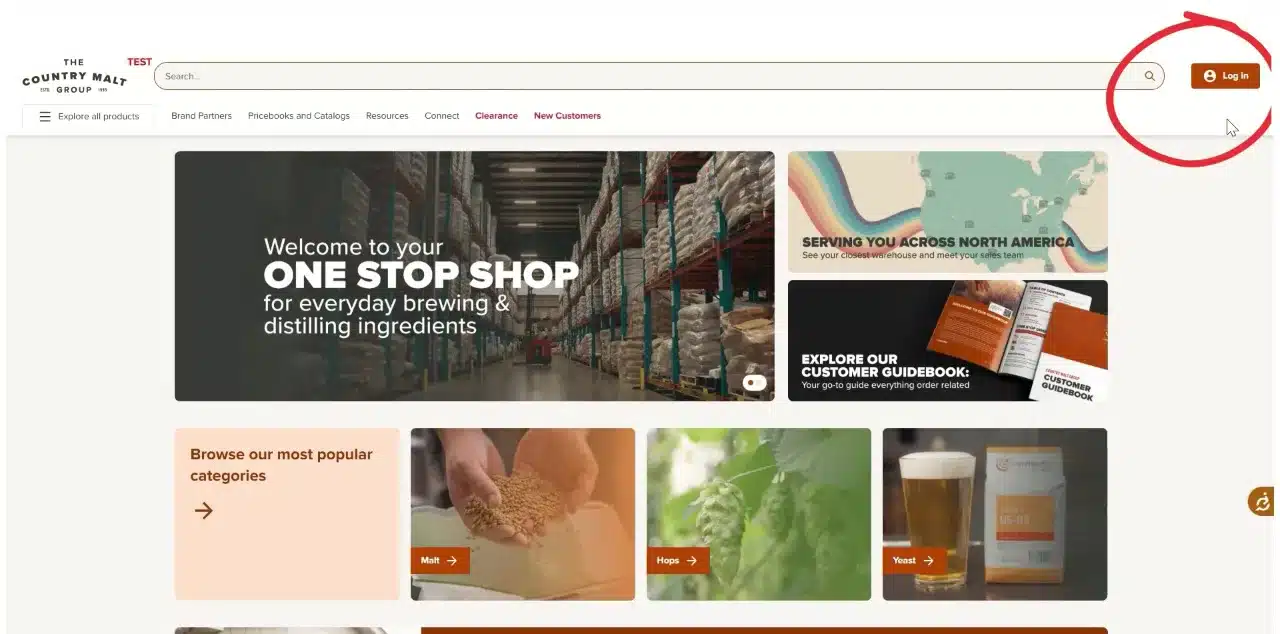
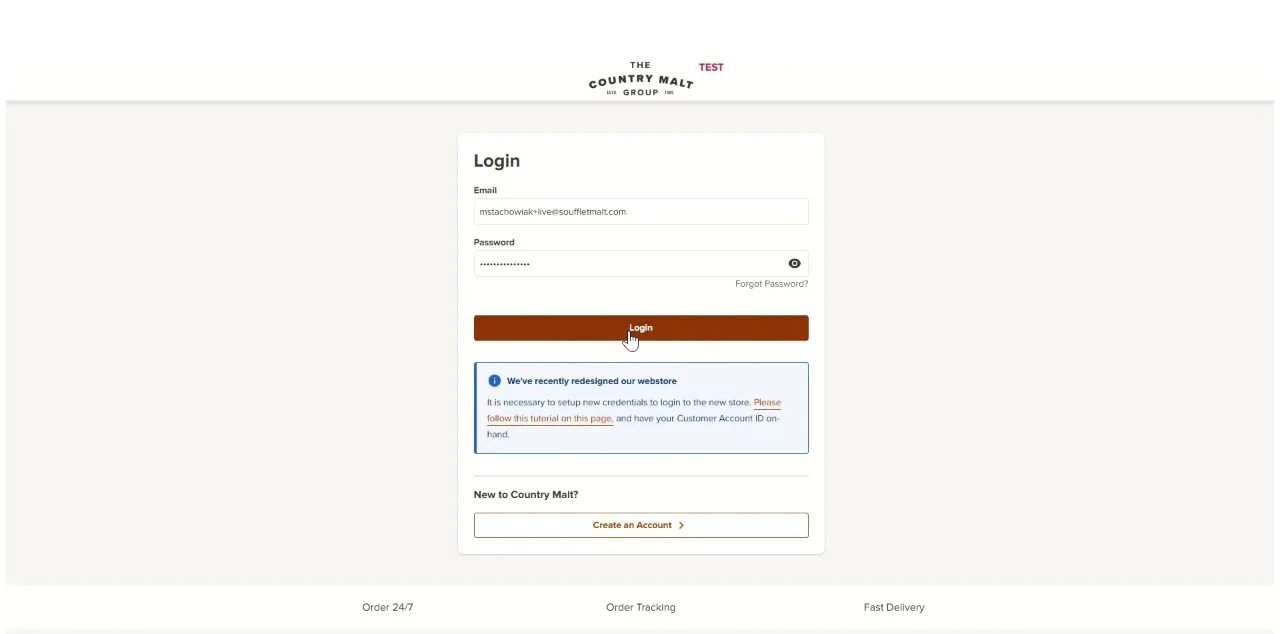
Click the Log in button at the upper right corner of the screen. Fill in your email address and password, then click Login.

The Log in button is at the upper right. Enter your email address and password, then click Login. Step 2Browse products by category
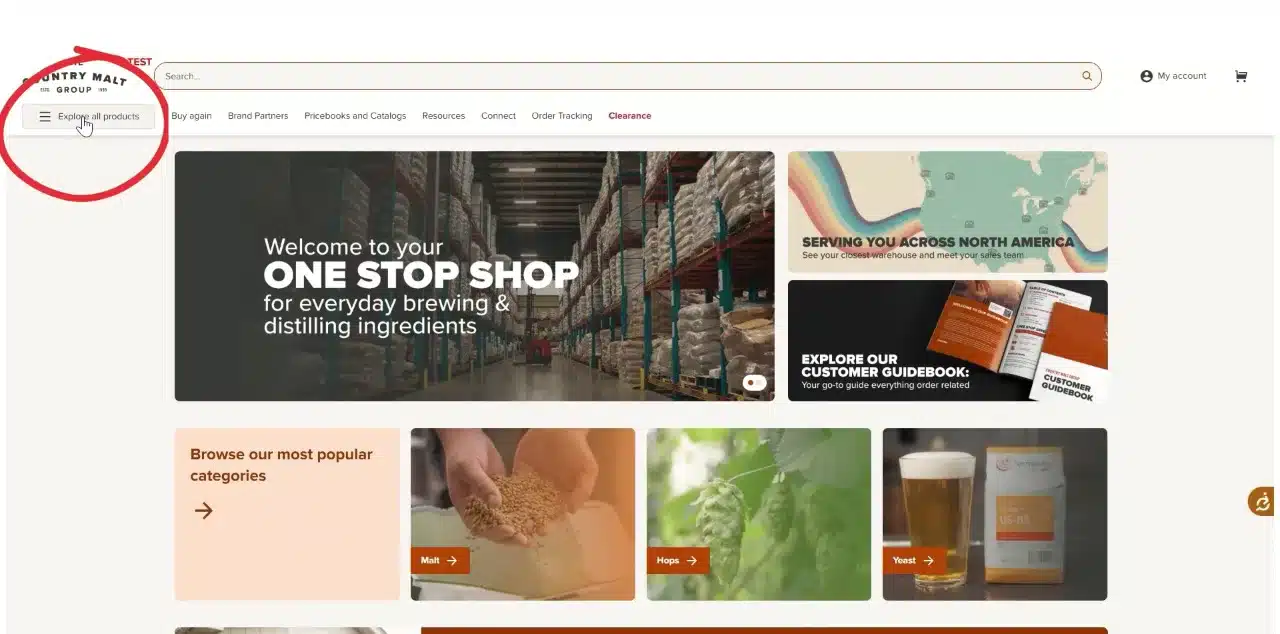
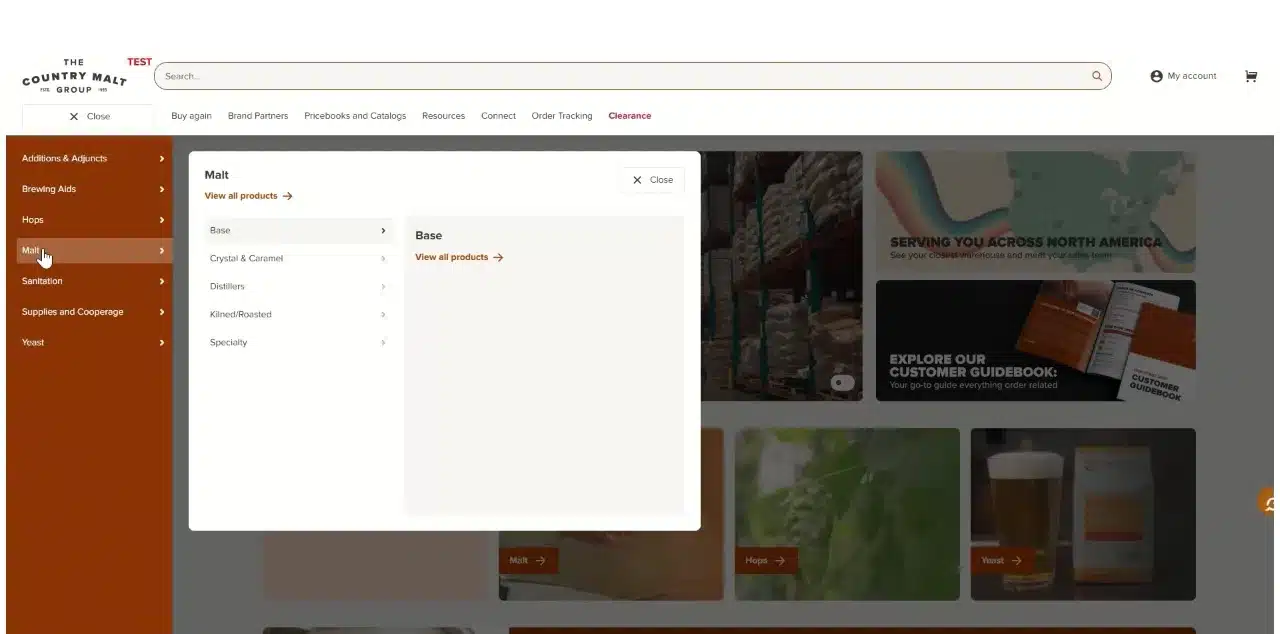
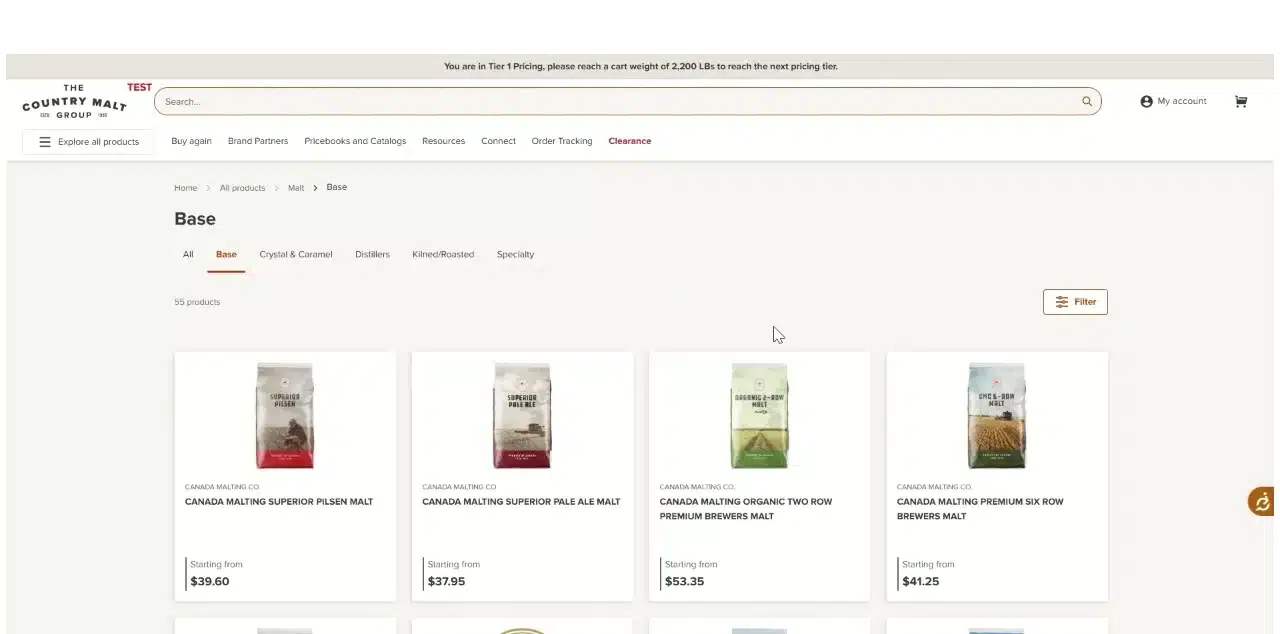
Click Explore all products in the upper left. For malt products, click Malt in the list, then click Base.
Click Explore all products. Choose Malt, then Base. The Base malt listing. Step 3Choose a product and quantity, then add to cart
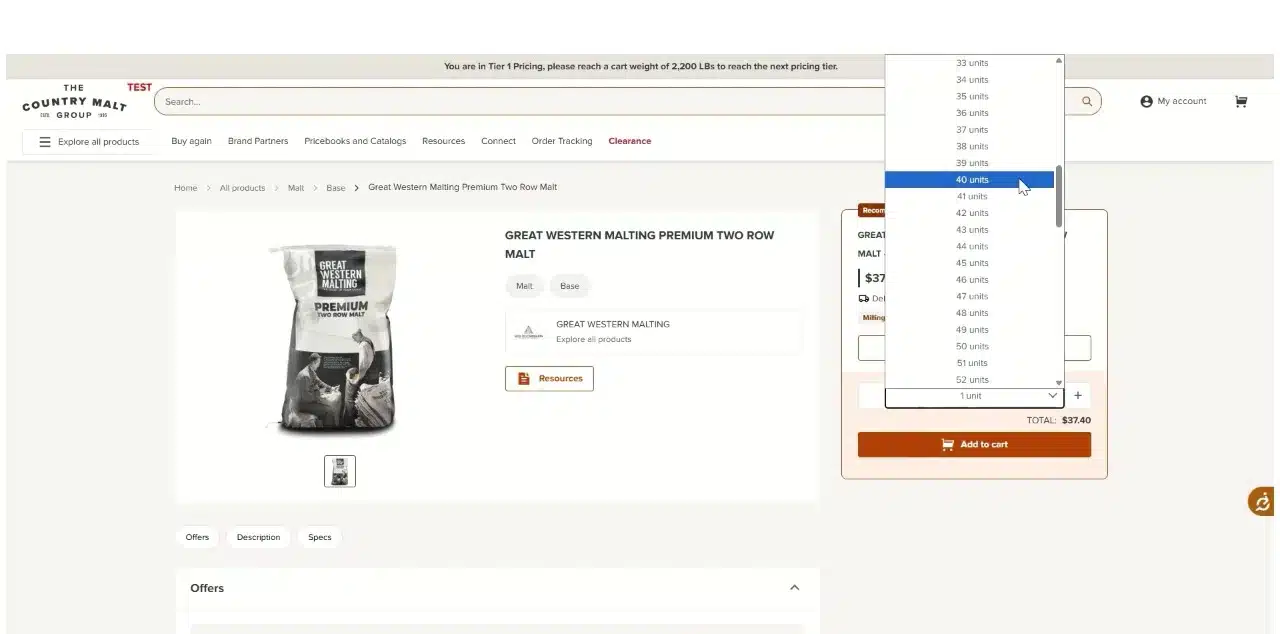
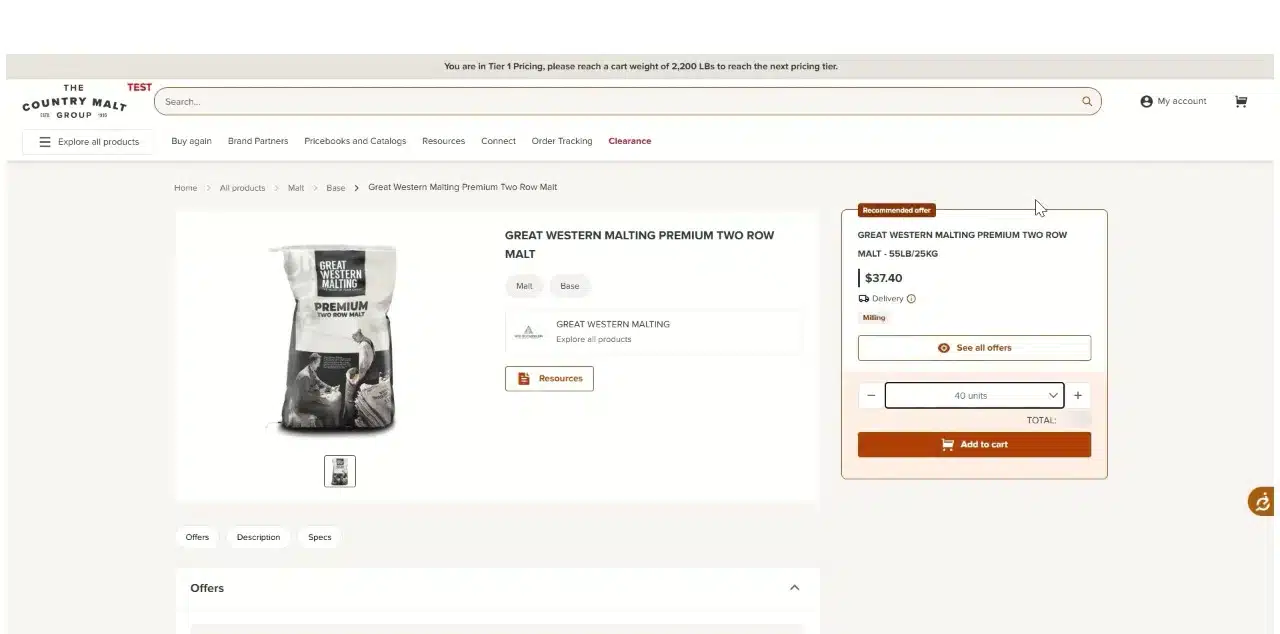
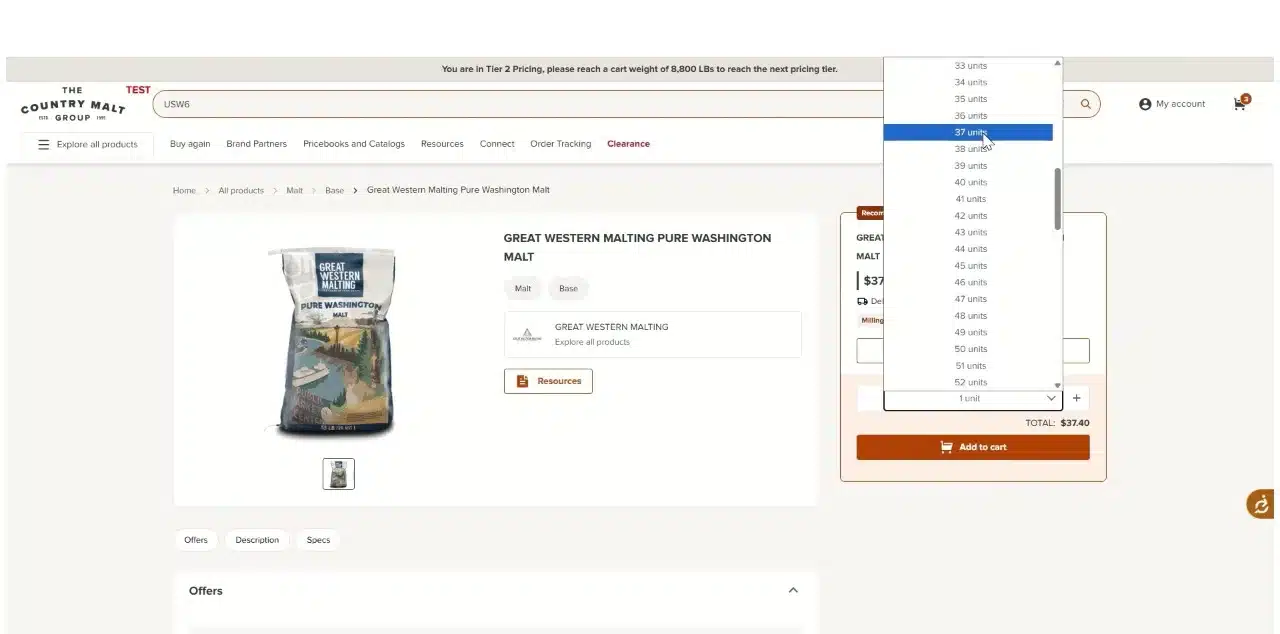
Choose the malt product you want to add to your order. Pick a quantity, then click Add to cart.
Choose a quantity. Click Add to cart. Step 4Choose a milling grade
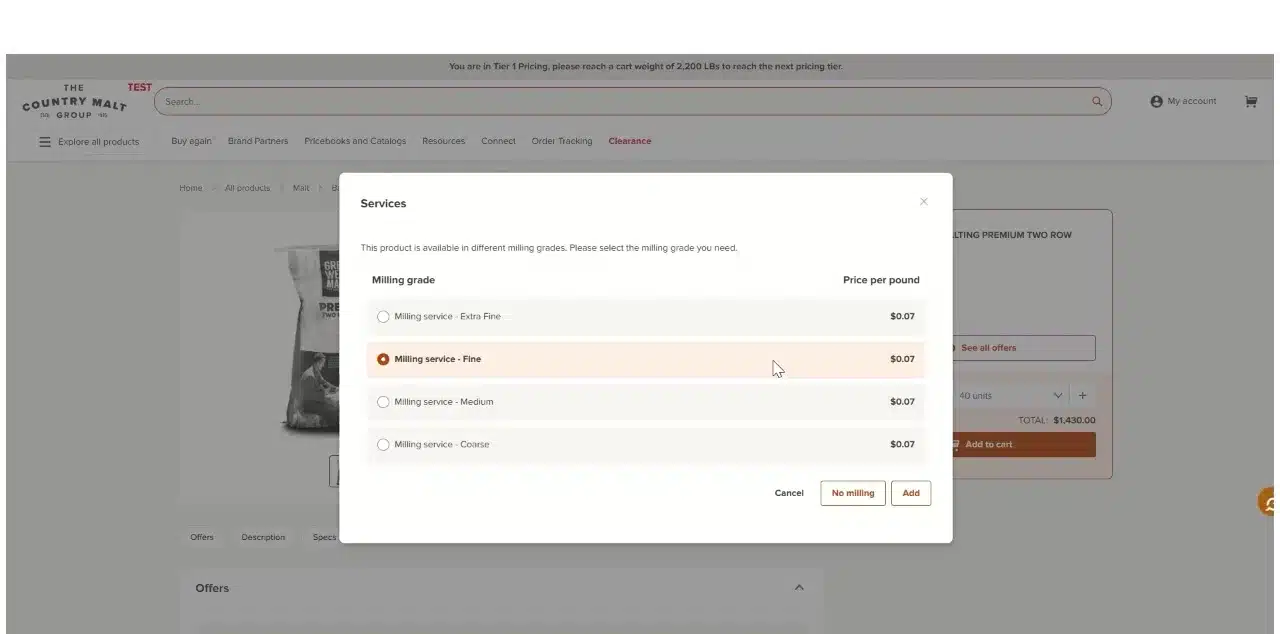
An option to add milling appears. Choose the milling grade (Extra Fine, Fine, Medium or Coarse, priced per pound) and click Add. Choose No milling if you don’t want the product milled.
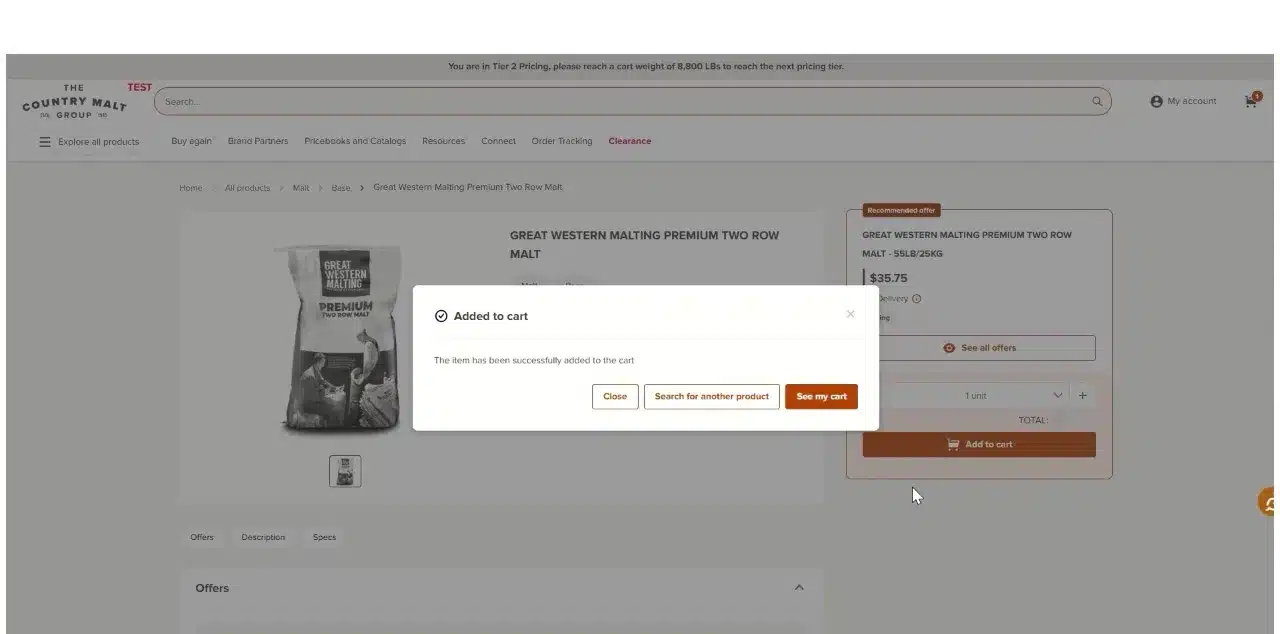
Choose a grade and click Add. The product is added to your cart. Step 5Search for your next product
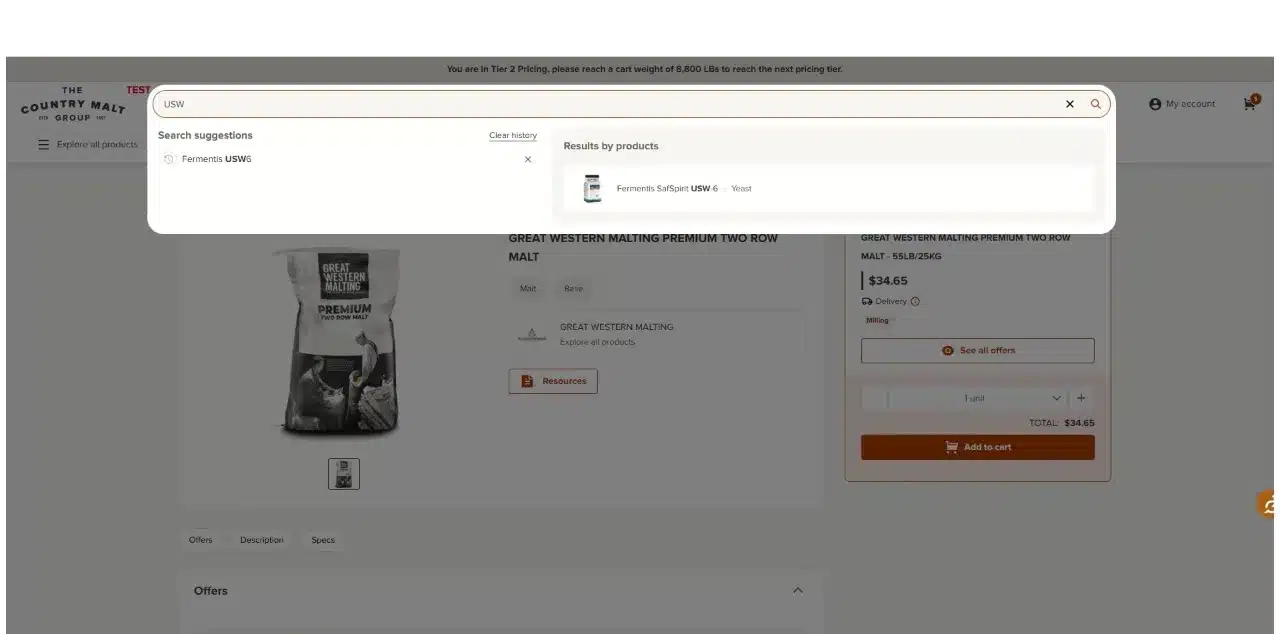
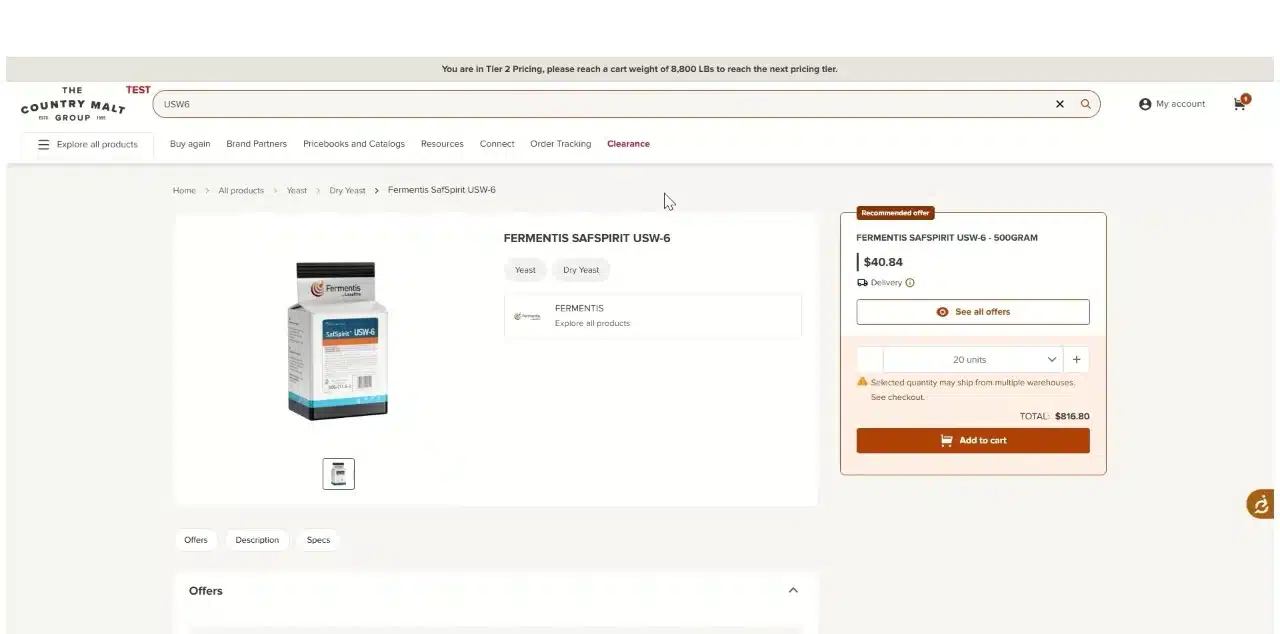
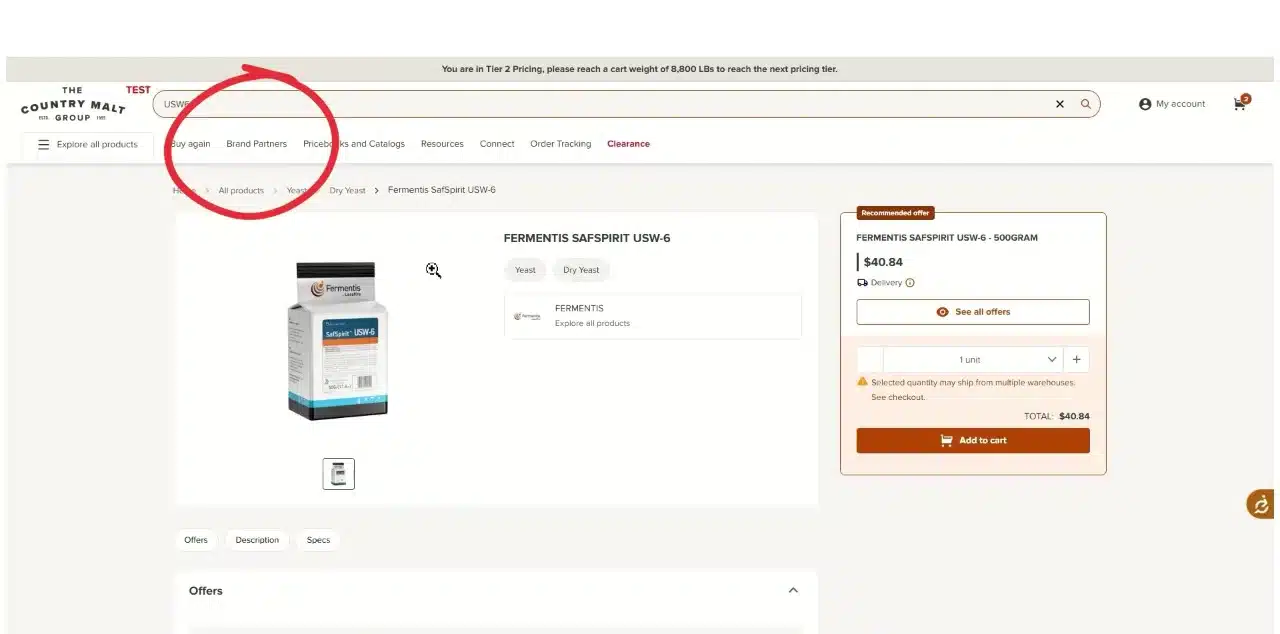
Use the search bar at the top of the screen to find your next product. Select the quantity to order and click Add to cart.
Search results appear as you type. Select the quantity, then add to cart. “Selected quantity may ship from multiple warehouses”If you see this note on a product page, that item may ship as a separate delivery. You’ll set up each delivery at checkout.
Step 6Shop by brand partner
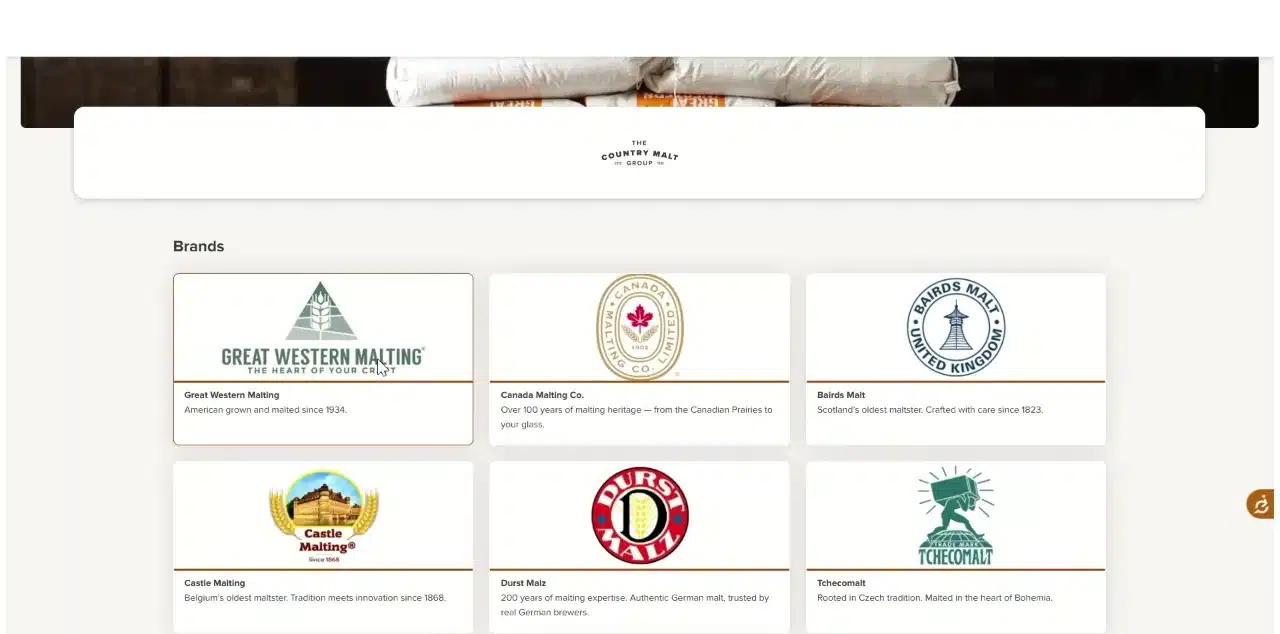
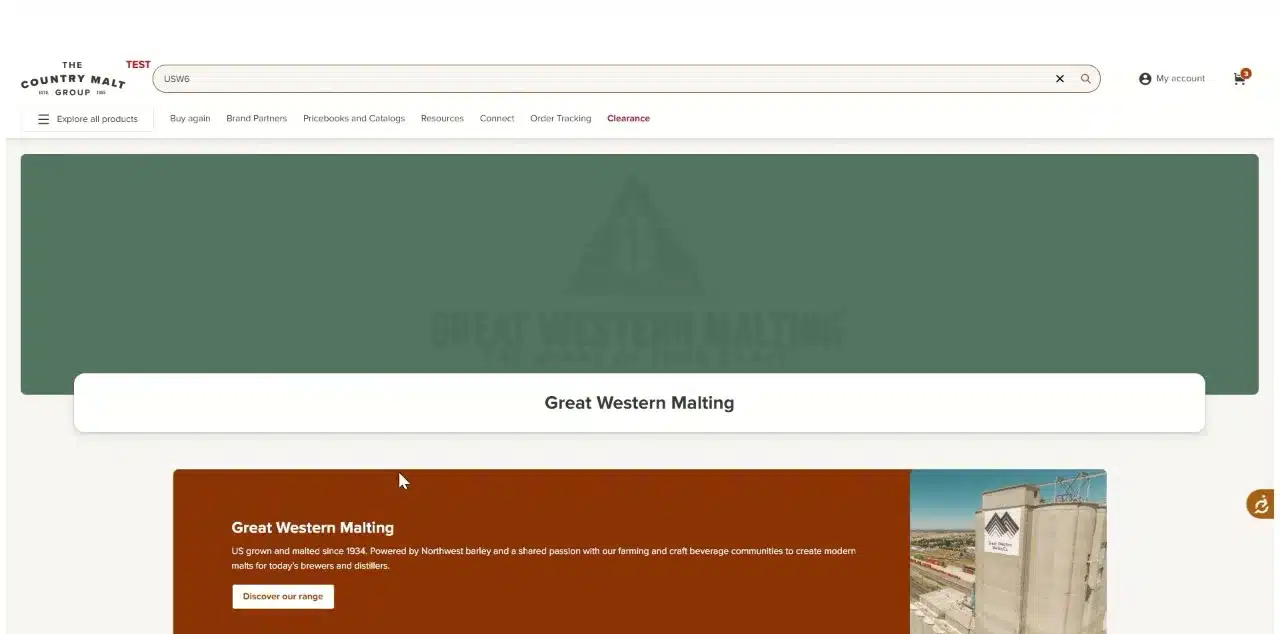
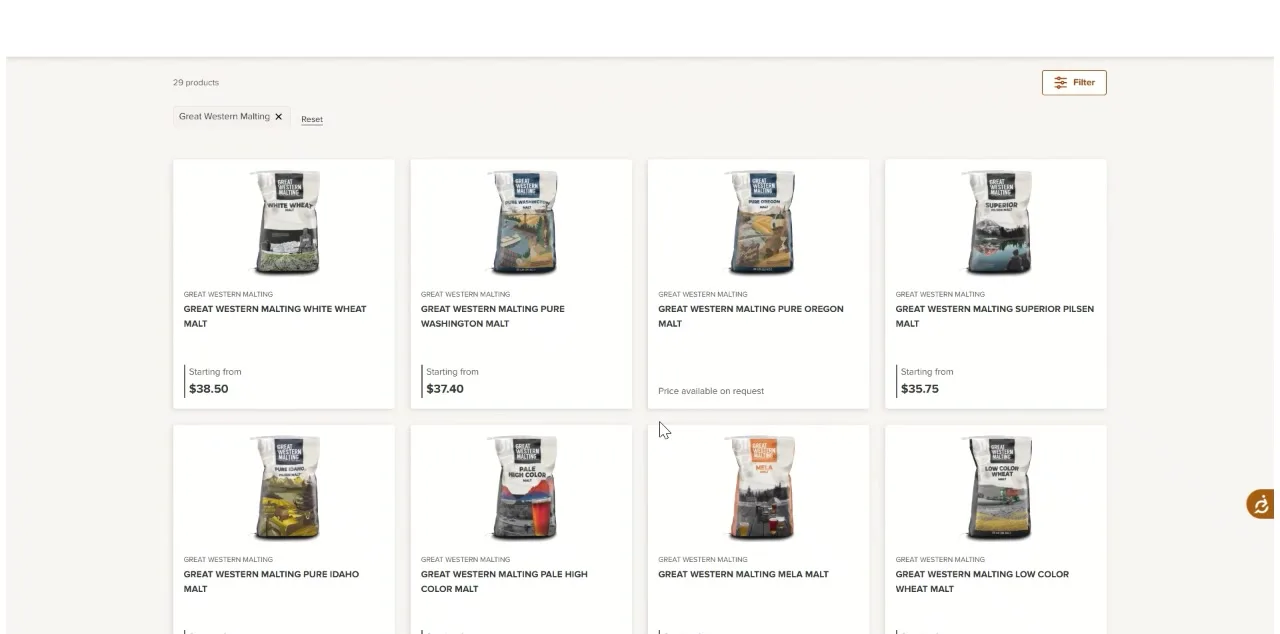
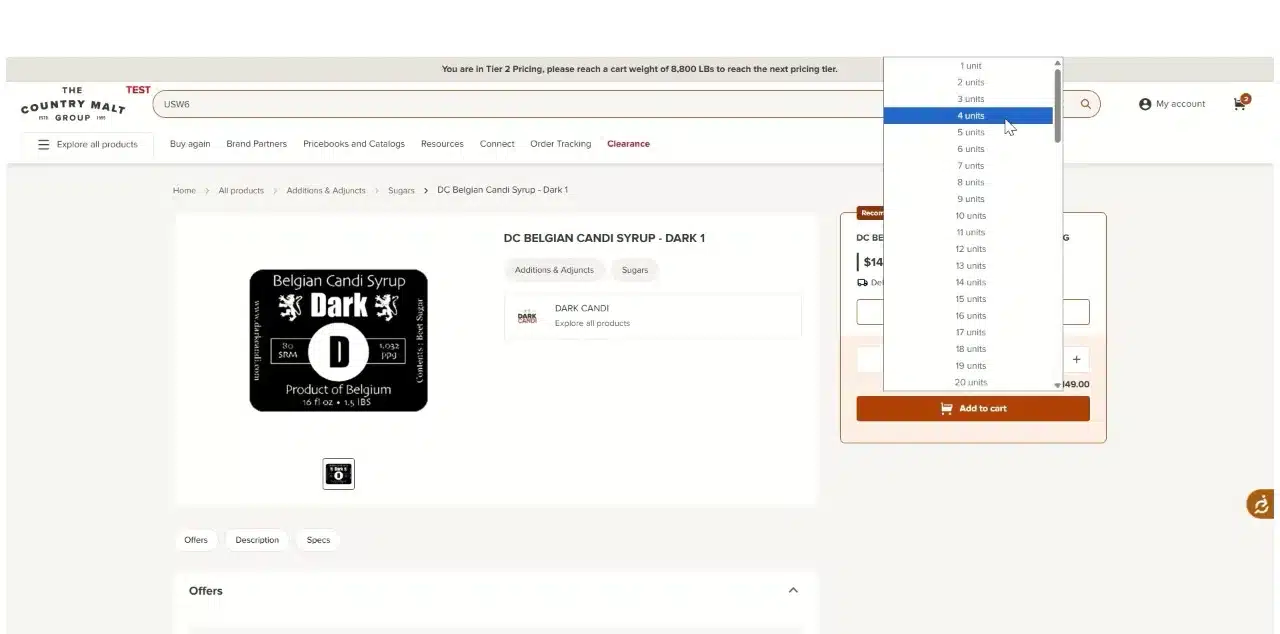
Click Brand Partners near the top menu and choose a brand. Click Discover our range to see the full selection of products for that brand. Select your product and quantity, then click Add to cart.
Click Brand Partners. Choose a brand. Click Discover our range. Pick a product from the brand’s range. Select the quantity. Step 7Open your shopping cart
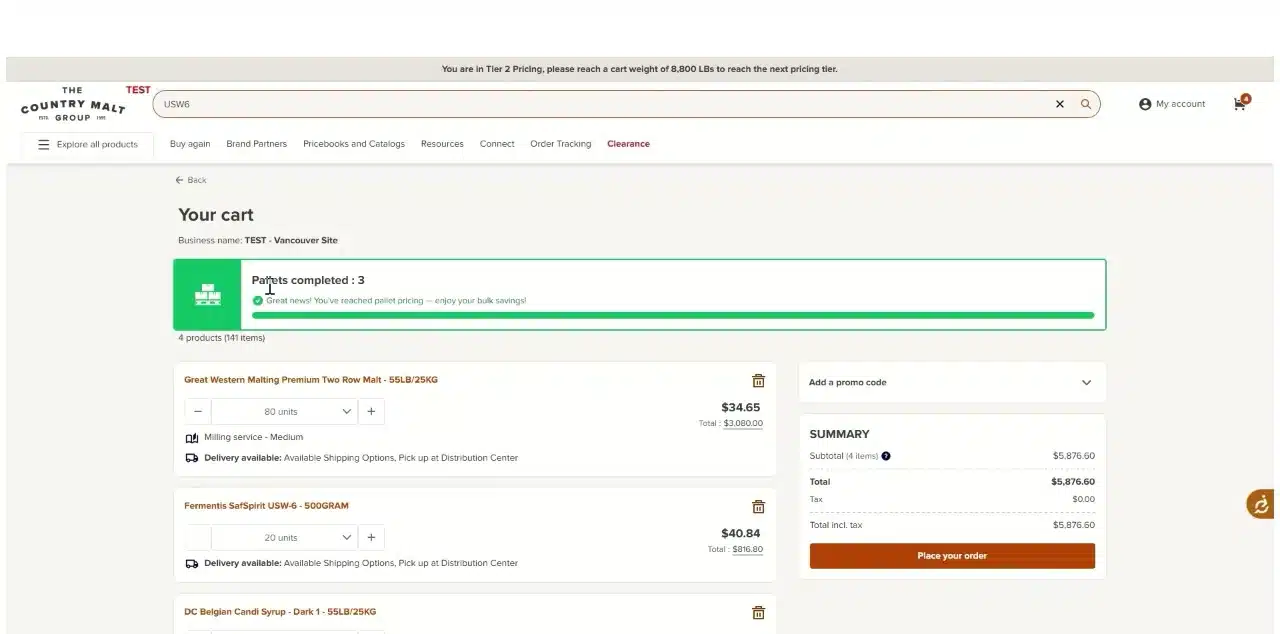
Click the shopping cart in the upper right corner.
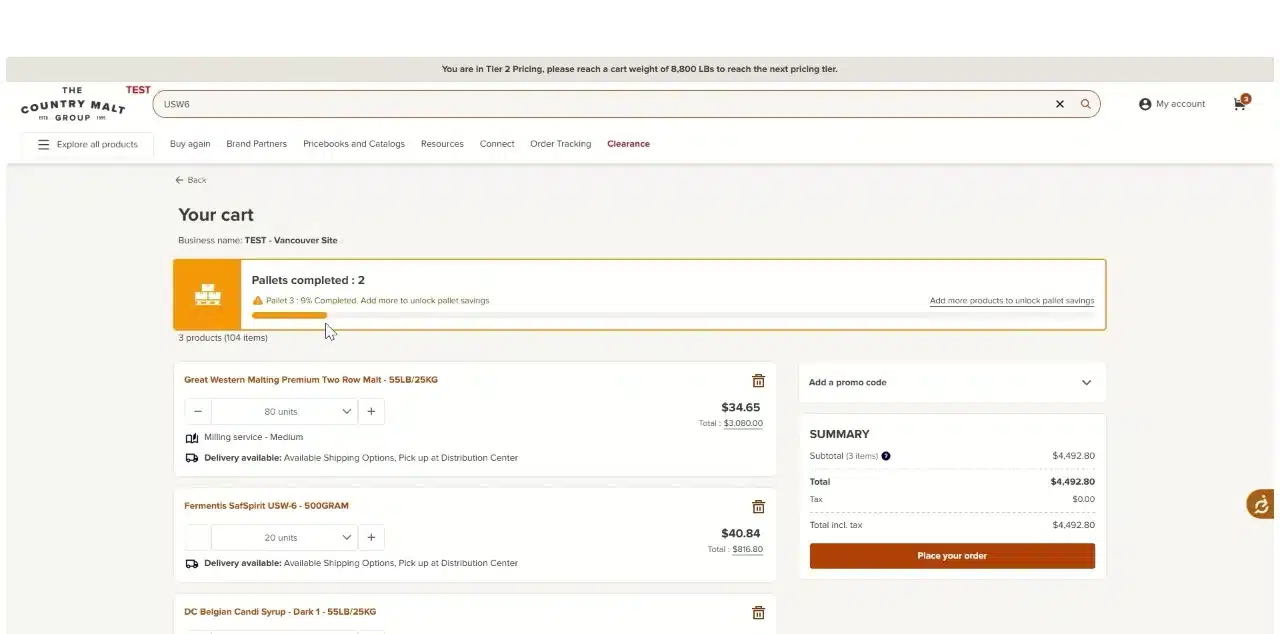
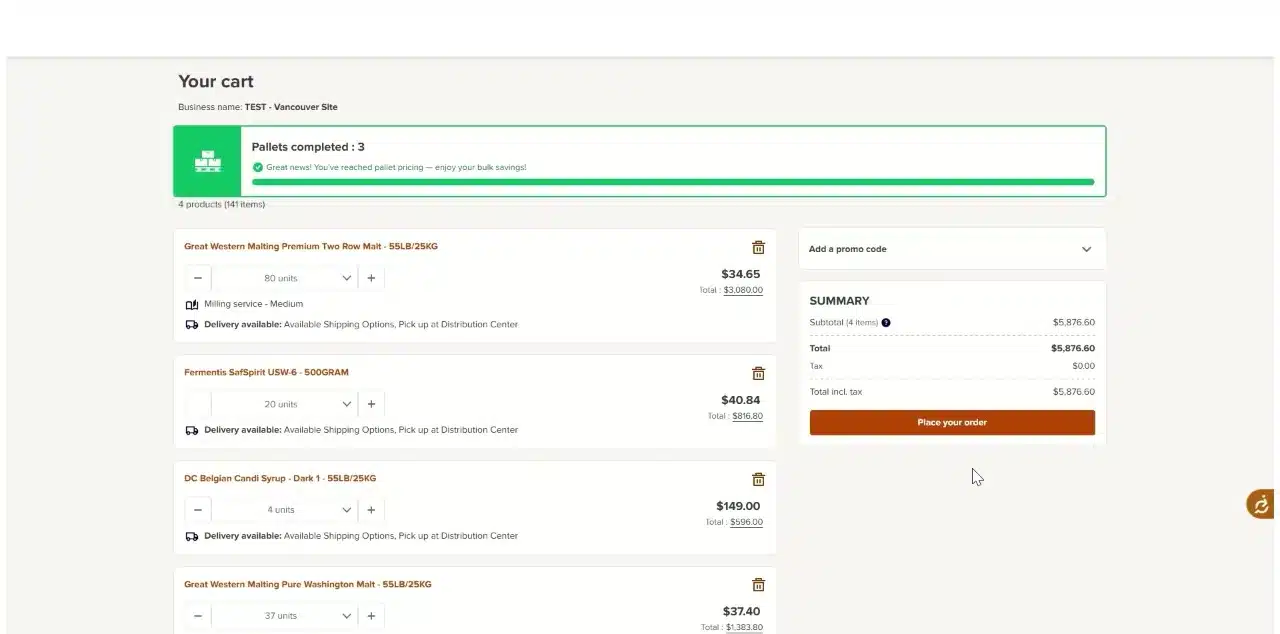
Your cart, with the Pallet Maximizer at the top. Step 8Complete the pallet with the Pallet Maximizer
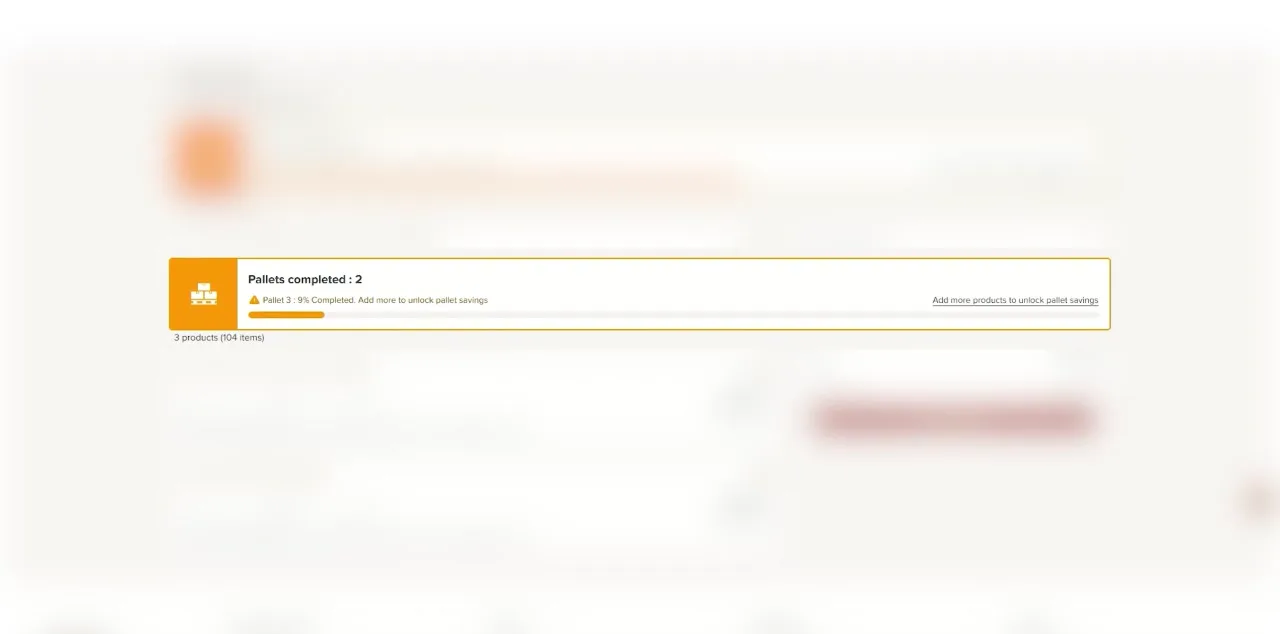
The Pallet Maximizer near the top of the screen shows that the pallet is partially complete. Select more products to add to your order to complete the pallet and unlock pallet savings.
An orange bar means the current pallet isn’t full yet. Adding another product to fill the pallet. A green bar means you’ve reached pallet pricing. Step 9Click Place your order
Click Place your order in your cart. This takes you to checkout, where you set up delivery and payment.
Click Place your order. Step 10Check whether your order was split
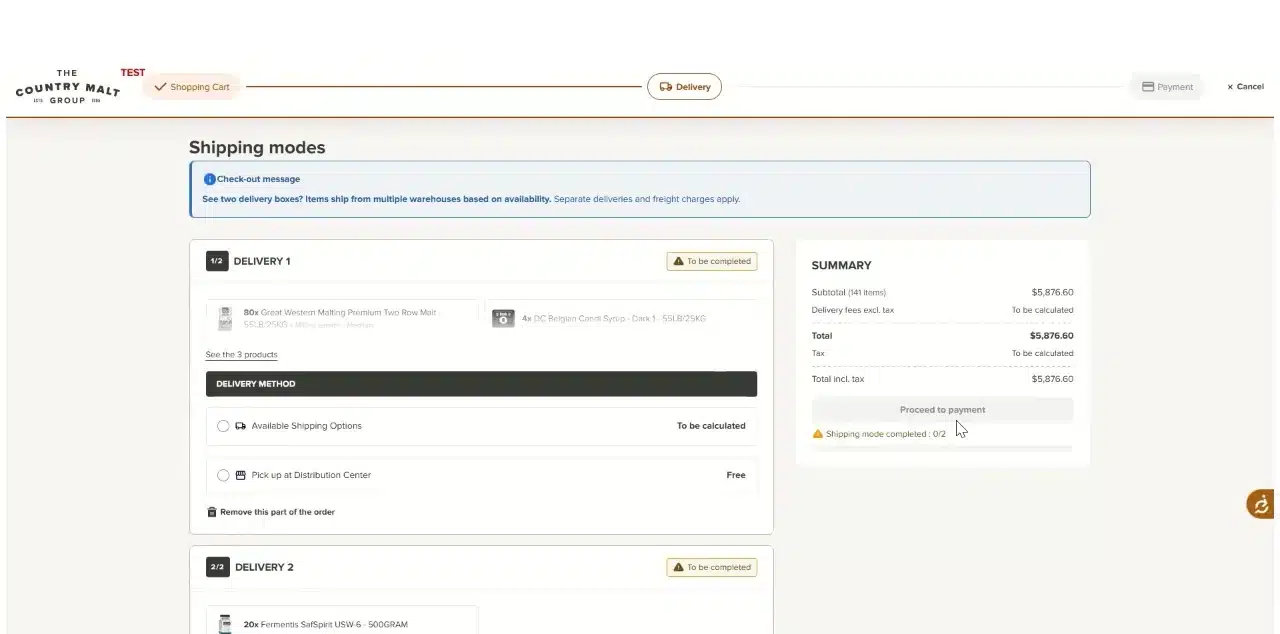
Important: your order may be splitIf the available inventory for an item you ordered is split between distribution centers, your order is split into separate deliveries, each with its own shipping options.
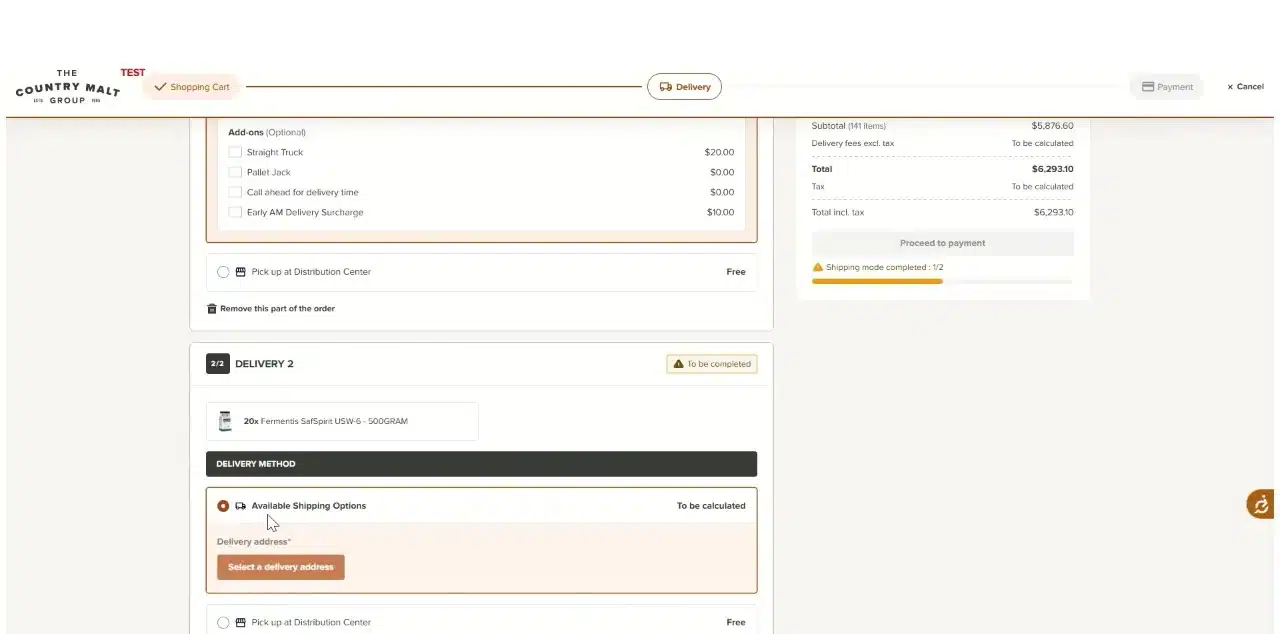
Each delivery appears in its own box and is set up separately in the next steps. In the example below, the order is split into two deliveries. The checkout message reads: “See two delivery boxes? Items ship from multiple warehouses based on availability. Separate deliveries and freight charges apply.”
In this example: two delivery boxes, each marked To be completed. Step 11Set up each delivery: address and shipping option
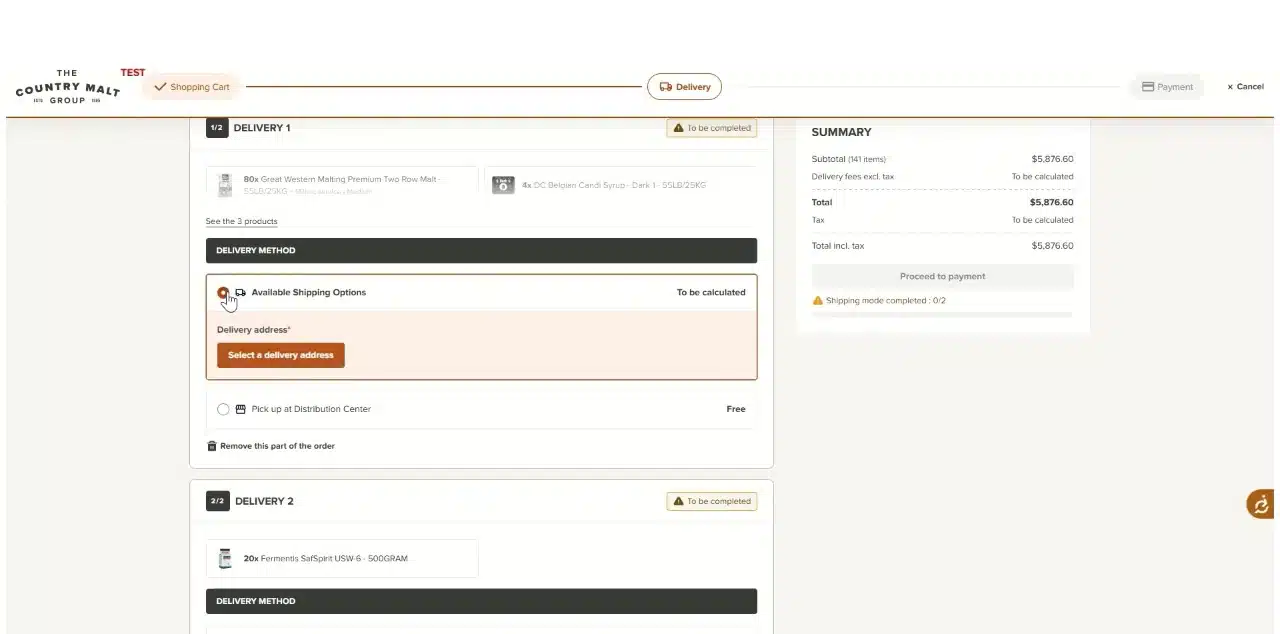
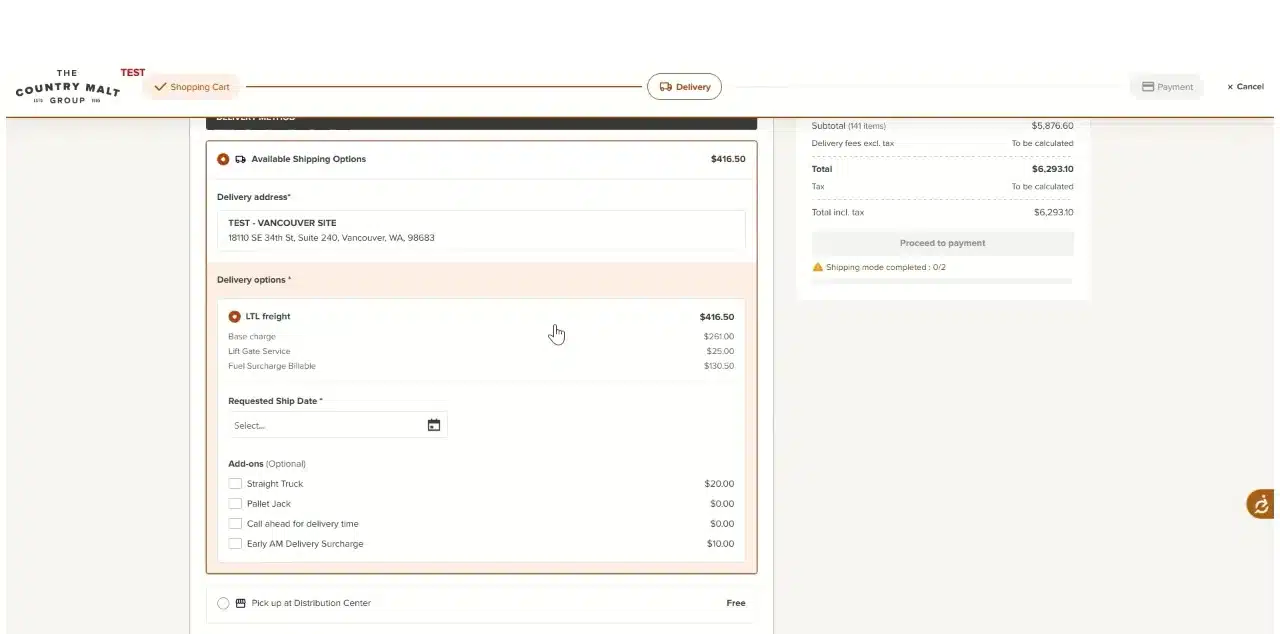
For each delivery, select your delivery address from the list of available locations. Then choose from the available shipping options.
Click Select a delivery address. Choose a shipping option. Customer pickupCustomer pickup is available from your primary warehouse. Choose Pick up at Distribution Center instead of a shipping option.
Step 12Pick a ship date and add-ons
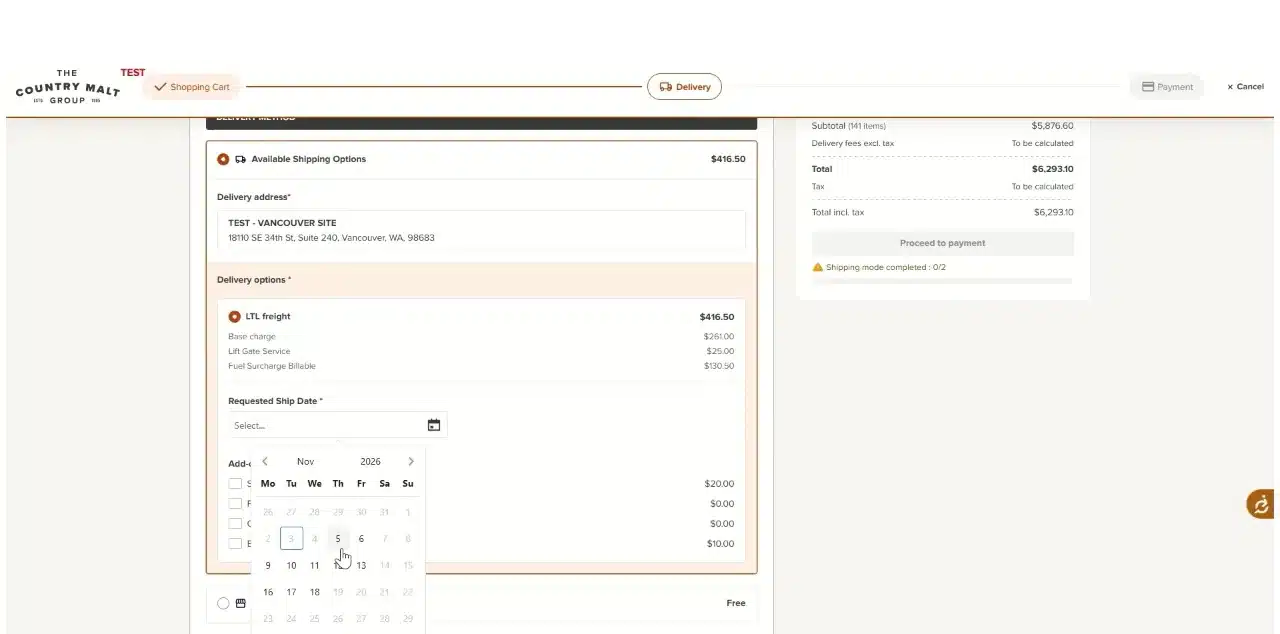
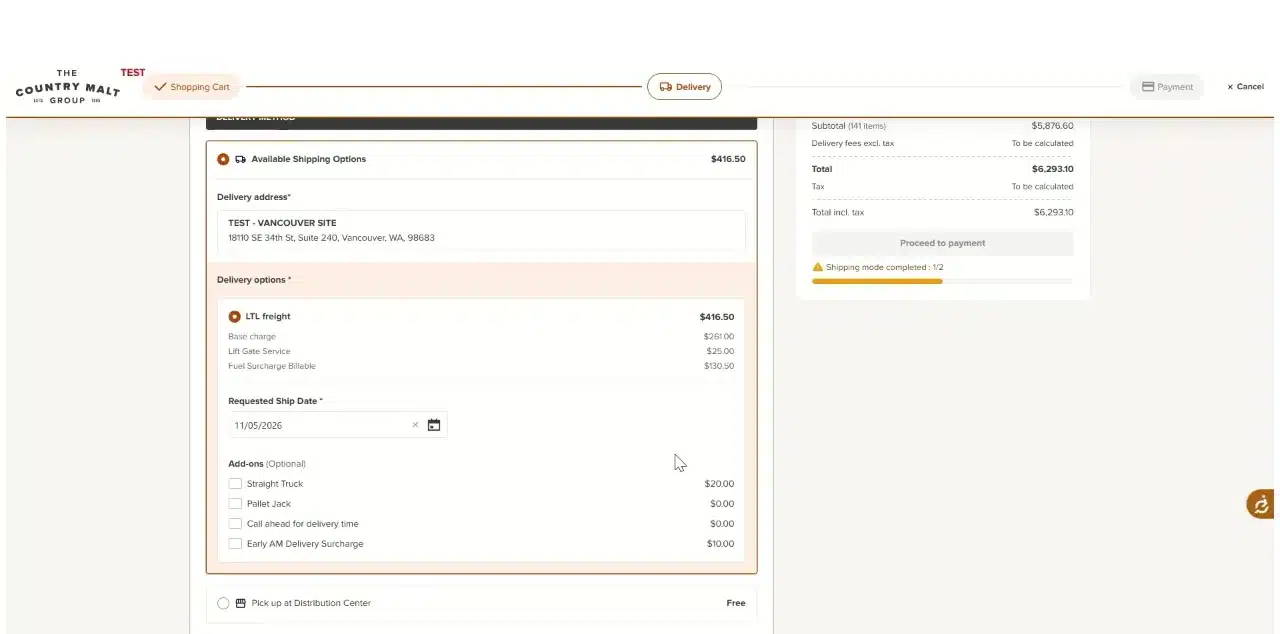
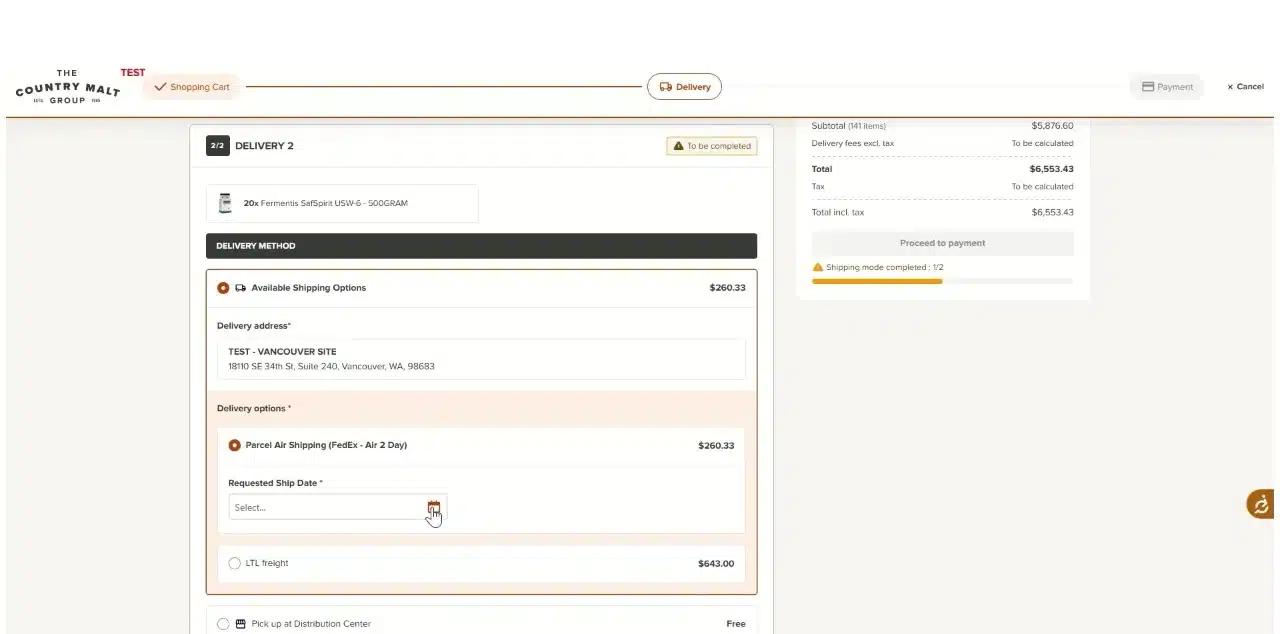
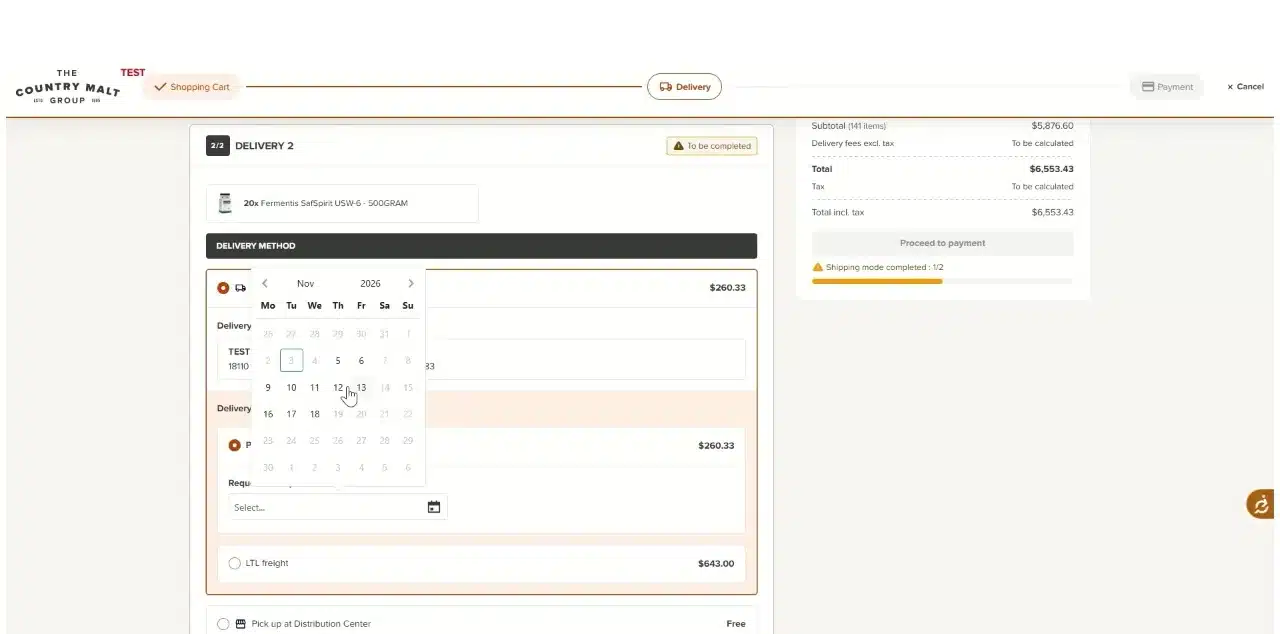
Select the desired ship date. Then select any add-ons you wish to include, such as Straight Truck, Pallet Jack, Call ahead for delivery time or Early AM Delivery Surcharge.
Pick a Requested Ship Date. Tick any Add-ons you want. Step 13Repeat for each remaining delivery
Repeat the same steps for each remaining delivery: select the delivery address, choose a shipping option, then select the ship date and any add-ons you wish to include.
Orders below 150 poundsAny order below 150 pounds should ship via FedEx. Choose Parcel Air Shipping (FedEx - Air 2 Day).
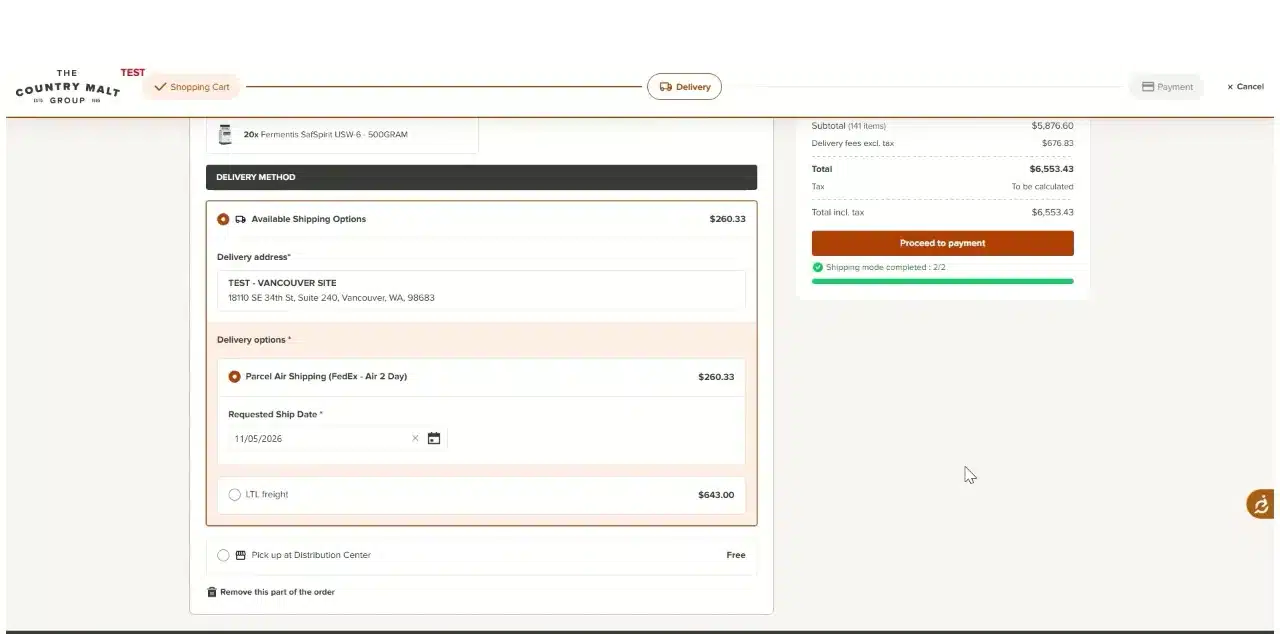
Select the delivery address. In this example, the second delivery ships via FedEx. Pick the ship date. Step 14Proceed to payment and choose a payment option
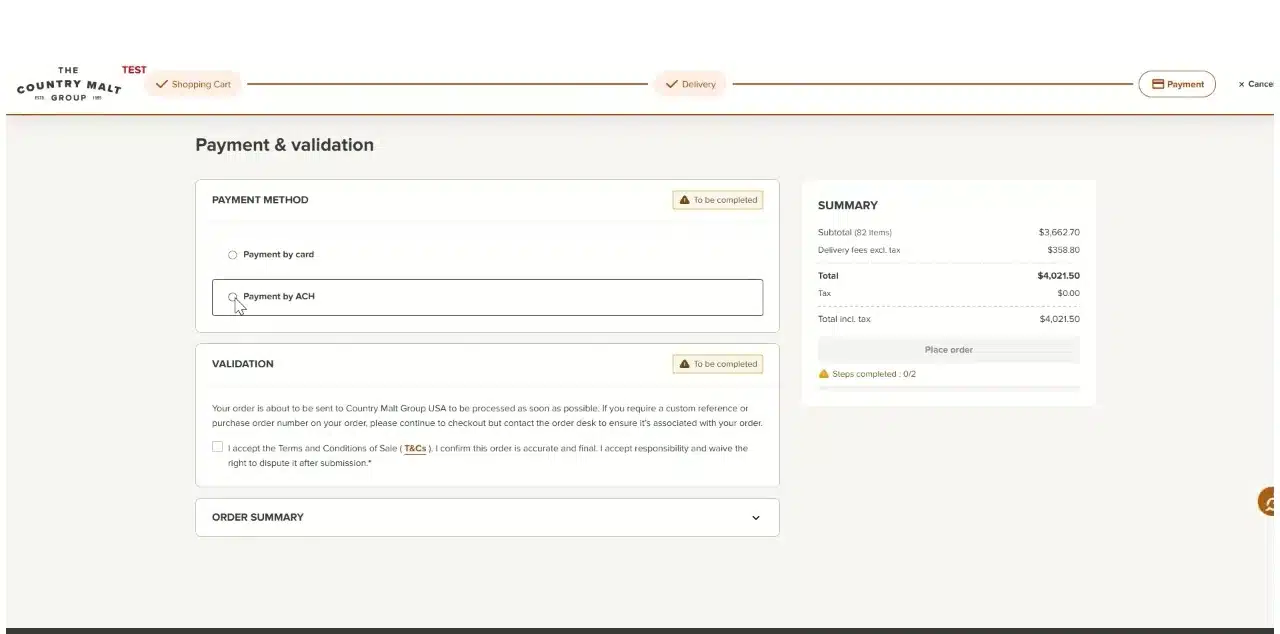
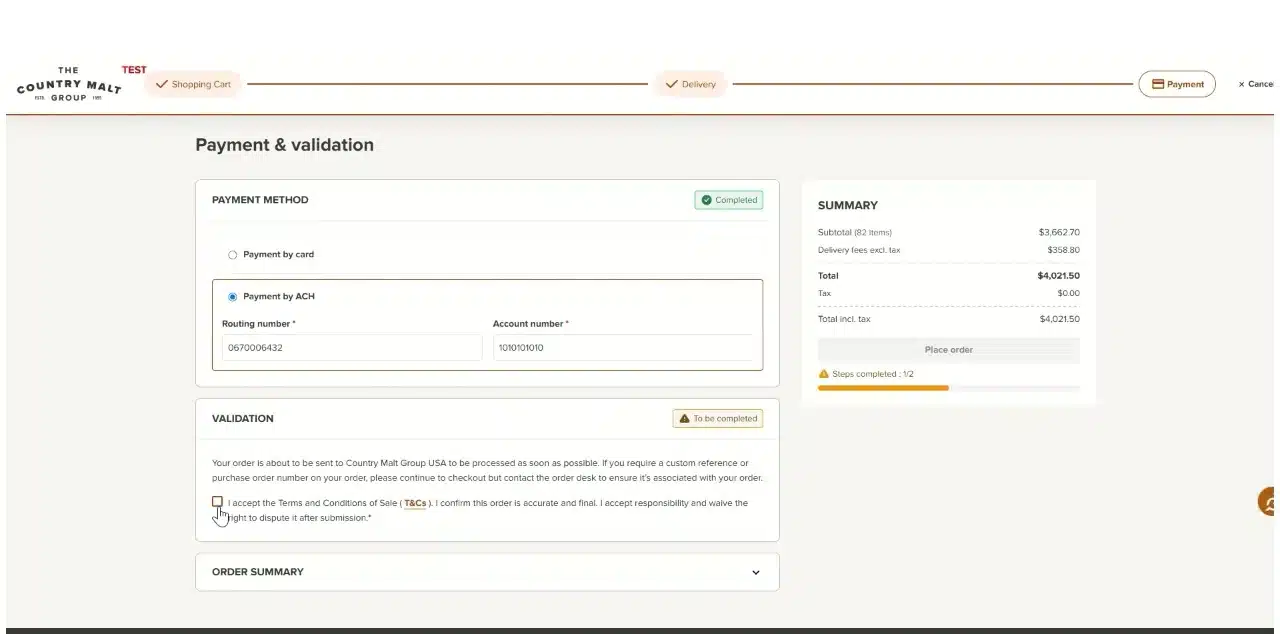
Click Proceed to payment. Then click your payment option. The options you see depend on the payment terms established for your customer account.
Once every delivery is set up, Proceed to payment is active. Choose a payment option. Step 15Accept the terms and place your order
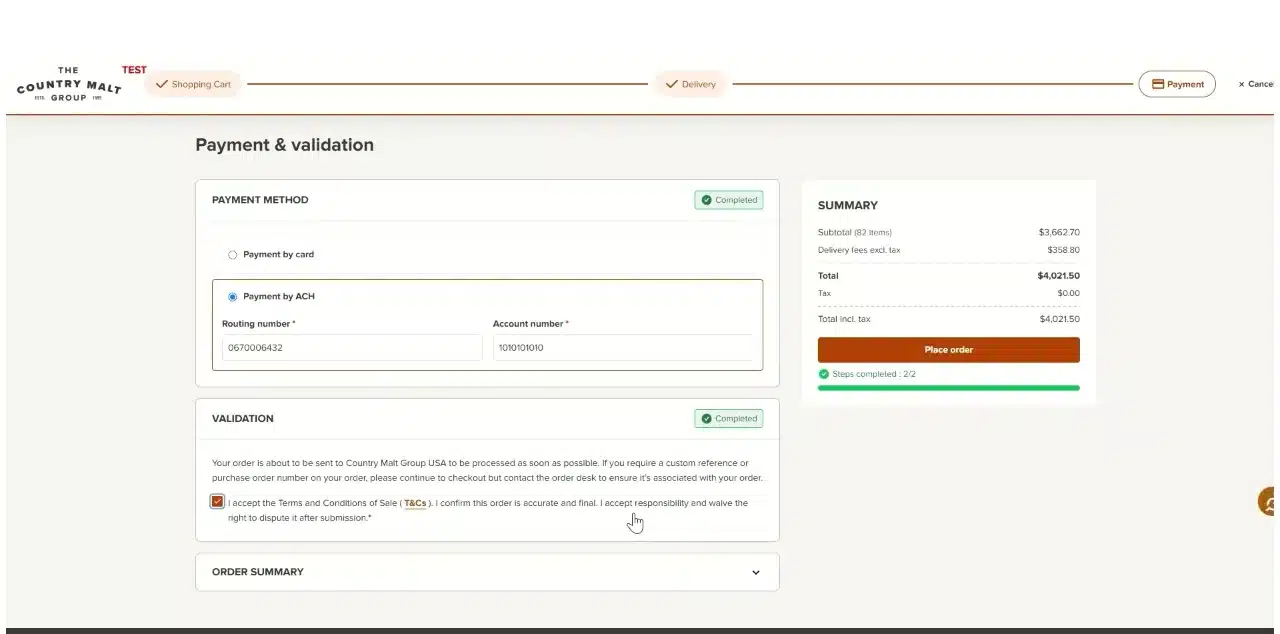
Check the box to accept the Terms and Conditions of Sale. Then click Place order to complete the order.
Need a PO number or custom reference?The checkout says to continue to checkout, but to contact the order desk to make sure your PO number or custom reference is associated with your order.
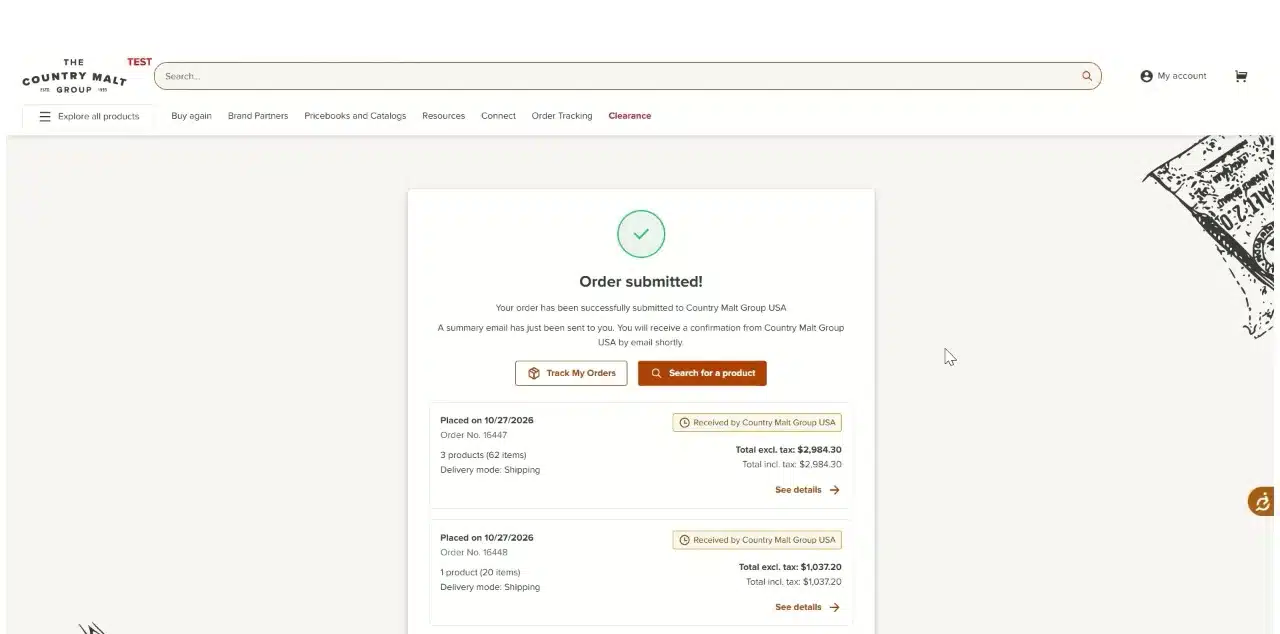
Accept the terms and conditions. Click Place order. The Order submitted page lists each delivery as its own order. The Order submitted! page confirms the order went to Country Malt Group USA. A summary email is sent to you, followed by a confirmation email from Country Malt Group USA. Use Track My Orders to follow your orders.
Frequently asked questions
Answers to common questions about ordering on the Country Malt Group webstore.
Why is my order split into more than one delivery?
When the available inventory for an item you ordered is split between distribution centers, your order is split into separate deliveries, each with its own shipping options. The checkout notes that items ship from multiple warehouses based on availability, and separate deliveries and freight charges apply.
Can I pick up my order instead of having it shipped?
Yes. Customer pickup is available from your primary warehouse. For that delivery, choose Pick up at Distribution Center.
How should small orders ship?
Any order below 150 pounds should ship via FedEx. Choose Parcel Air Shipping (FedEx - Air 2 Day) as the shipping option.
What is the Pallet Maximizer?
The Pallet Maximizer near the top of your cart shows how many pallets are complete and how full the current one is. Add products to complete the pallet and unlock pallet savings. When the pallet is complete, the bar turns green.
What payment options will I see?
Your payment options depend on the payment terms established for your customer account, for example Payment by card or Payment by ACH.
Do I have to add milling?
No. When a product offers milling, you can choose Extra Fine, Fine, Medium or Coarse, priced per pound, or choose No milling.
How do I add a PO number or custom reference?
The checkout says to continue to checkout, but to contact the order desk to make sure your PO number or custom reference is associated with your order.
How do I know my order went through?
You will see an Order submitted page that lists each delivery as its own order. A summary email is sent to you, and Country Malt Group USA then sends a confirmation email. Use Track My Orders to follow your orders.